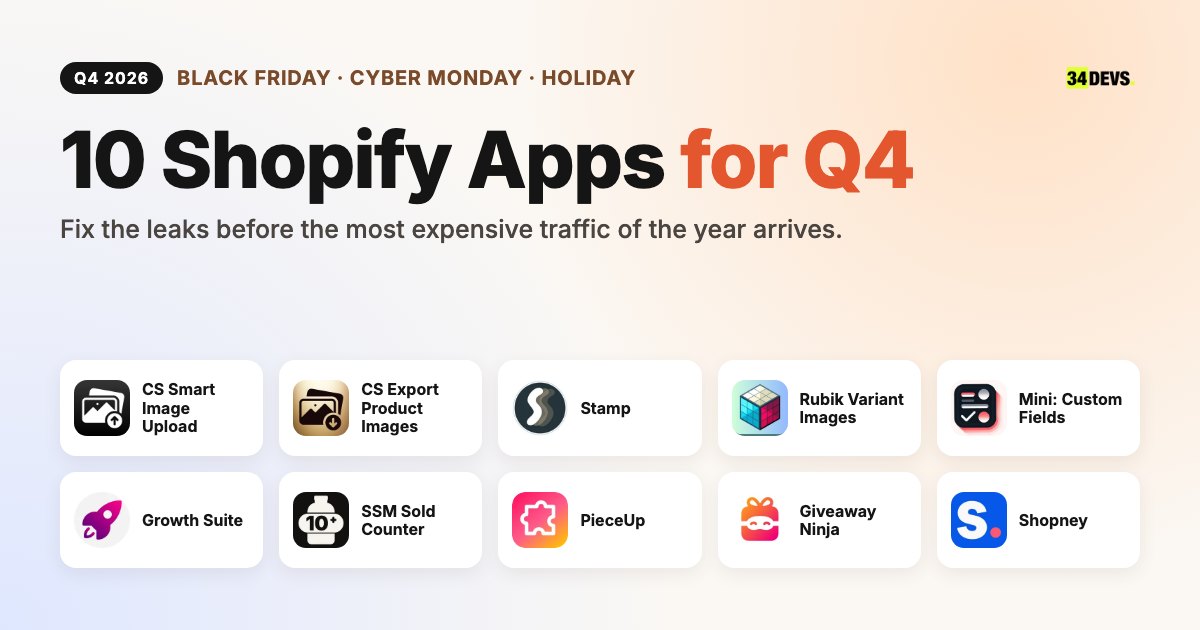
The last quarter is both the most profitable and the most expensive time of year for a Shopify store. Black Friday, Cyber Monday and holiday shopping are squeezed into ten weeks, ad auctions heat up, cost per click climbs and every visitor is worth more than usual. So when you choose Shopify apps for Q4, the question is not "which app is popular right now?" It is: where am I losing the visitor I paid so much to bring in, and which app closes that exact gap?
In this guide we follow a visitor's path through your store: finding the product, seeing the right variant, making a decision, adding to cart and coming back after the season. For each step we show the typical Q4 problem and a Shopify app that solves it. Then we explain what to watch out for when you combine these apps, and give you a calendar for when to install each one.
Disclosure: This article is part of a co-marketing collaboration with the app developers listed. PieceUp is built by the 34Devs team. App details are based on information provided by the developers and their Shopify App Store listings; ratings and review counts reflect the state at the time of publishing. The opinions in the "Expert note" sections are our own.
The real Q4 problem is not traffic, it is leakage
More traffic arrives almost by itself in November and December: ad budgets grow, email lists wake up and purchase intent peaks. But that traffic is lower quality than usual. Many visitors are comparing prices, have five tabs open at once and leave with "I'll look again later." Friction that seems small the rest of the year — a gallery in the wrong color, variants hidden behind a single product card, personalization handled over email — turns into losses in Q4 that show up directly in revenue.
That is why we grouped the list into five stages:
- Preparation and operations: get the catalog and images in order before the campaign starts.
- Discovery and product page: the visitor instantly sees the color, size and option they are looking for.
- Decision and urgency: give the "I'll buy later" visitor a real reason to buy today.
- Engagement and list growth: let shoppers earn the discount instead of handing it out.
- After the season: don't lose the customer you won in Q4 by January.
At a glance: 10 Shopify apps for Q4
| App | Problem it solves | Role in Q4 | Key facts |
|---|---|---|---|
 CS - Smart Image Upload CS - Smart Image Upload |
Uploading thousands of images by hand | Get seasonal products live fast | Built for Shopify · 5.0 (110 reviews) · free plan |
 CS - Export Product Images CS - Export Product Images |
No backup of store media | Pre-campaign backup, marketplaces, print catalogs | Built for Shopify · 4.7 (31 reviews) · free plan |
 Stamp Show Variants on Collection Stamp Show Variants on Collection |
Variants hidden behind one card | Every color as its own card on collections | Built for Shopify · 5.0 (175 reviews) · free plan |
 Rubik Variant Images Rubik Variant Images |
Gallery shows every color, not the selected one | Only the selected variant's photos | Built for Shopify · 5.0 (481 reviews) · free plan |
 Mini: Custom Fields Personalize Mini: Custom Fields Personalize |
Collecting personalization over email | Engraving, gift notes, delivery dates for gifting season | Built for Shopify · 5.0 (142 reviews) · free plan |
 Growth Suite Growth Suite |
"I'll buy it later" visitors | Personal, time-limited discount codes | Built for Shopify · 300+ stores in 40+ countries |
 SSM Sold Counter Social Proof SSM Sold Counter Social Proof |
Hesitant visitors need trust | Social proof from real order and cart data | Free up to 10,000 visitors/month · 17 languages |
 PieceUp PieceUp |
Discounts everyone gets and nobody values | Discounts earned through a jigsaw puzzle | Real single-use Shopify codes · revenue tracking |
 Giveaway Ninja Giveaway Ninja |
Giveaways that only collect emails | Every order becomes an entry | Entries from purchases, referrals and social actions |
 Shopney Shopney |
Q4 customers disappear by January | Mobile app and push notifications for repeat sales | 3,000+ brands · zero commission on sales |
1. Preparation and operations: clean up the catalog before the campaign
The most common Q4 mistake is leaving operational work for campaign week. Images for new seasonal products are missing, old campaign images are still attached to variants and nobody has a backup of the store's media. Trying to fix that in mid-November wastes time and raises the risk of errors on the live store.
CS - Smart Image Upload
Seasonal collections often mean hundreds of new images. Uploading them product by product in the Shopify admin and attaching each one to the right variant can take a team days. CS - Smart Image Upload does it in a single run: connect your Google Drive or Dropbox folder, and the app pairs each image with the right product or variant using SKU, barcode, product title, a metafield value or variant ID.
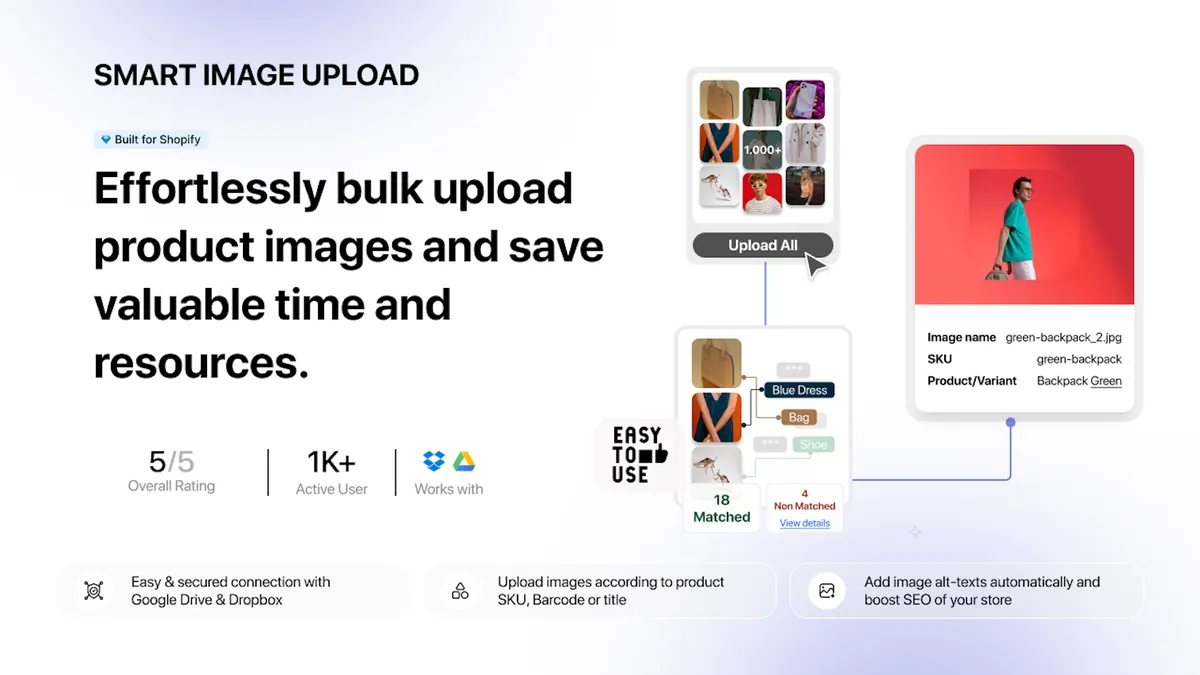
Its biggest advantage in Q4: nothing is written to your store until you approve it. You get a complete matching preview showing every matched and unmatched image, each image's position and the alt text that will be applied. You can rerun matching as often as you like while you fix file names, then start the upload when everything looks right. Uploads run in the background, keep multiple photos in the right order, write alt text automatically and export unmatched images as a CSV so you can fix their names quickly.
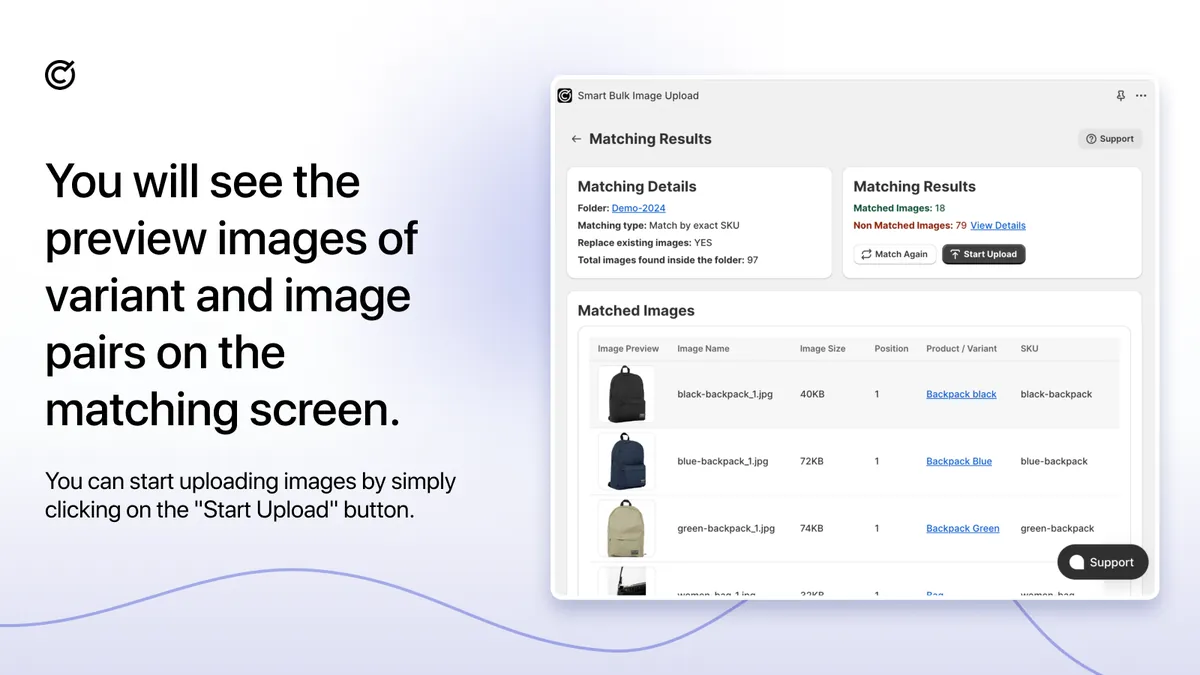
Expert note: The real risk in bulk uploads is that errors are silent: 150 of 2,000 images don't match and nobody notices until those products go live in the campaign without a photo. Don't start the upload until the "unmatched" count in the preview is zero. Filling in alt text is also a small, free SEO win for image search traffic.
CS - Smart Image Upload is Built for Shopify, offers a free plan to try the features and has a 5.0 rating from 110 reviews on the Shopify App Store.
CS - Smart Image Upload on the Shopify App Store · Craftshift website
CS - Export Product Images
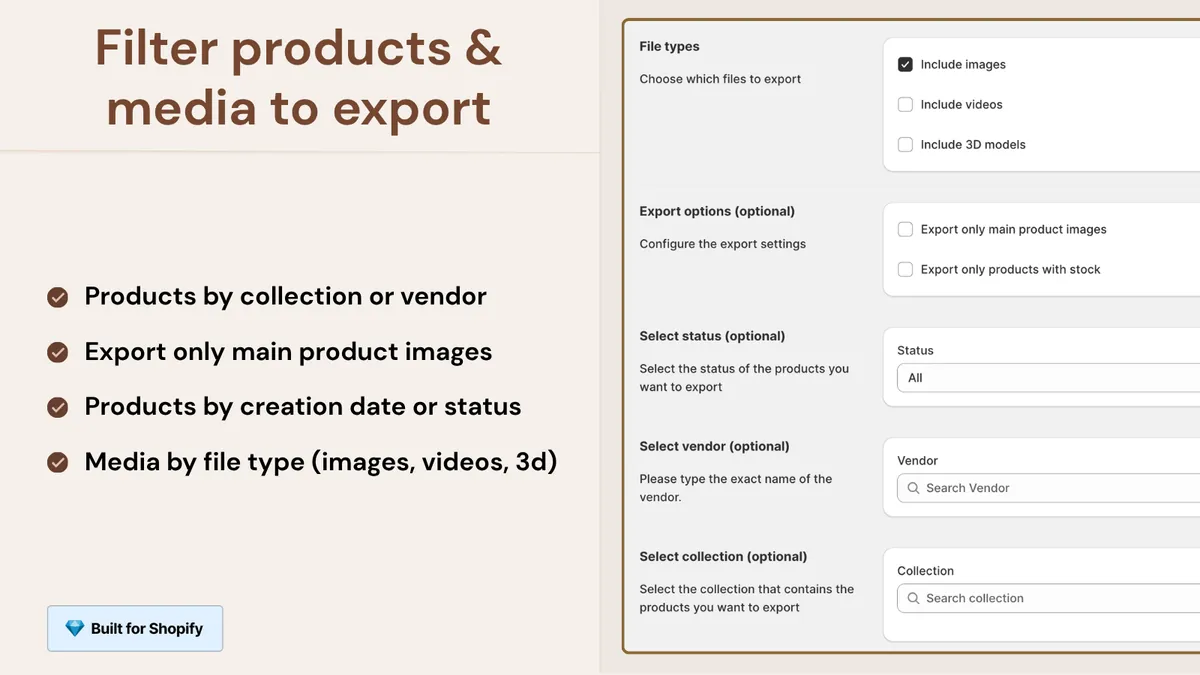
Theme changes, bulk edits and new app installs before a campaign are the riskiest time for your store's media. CS - Export Product Images downloads product and variant images — plus product videos and 3D models if you want them — into a single ZIP file. You can also export files from Content > Files, including images, videos, 3D models and PDFs used by products or metaobjects.
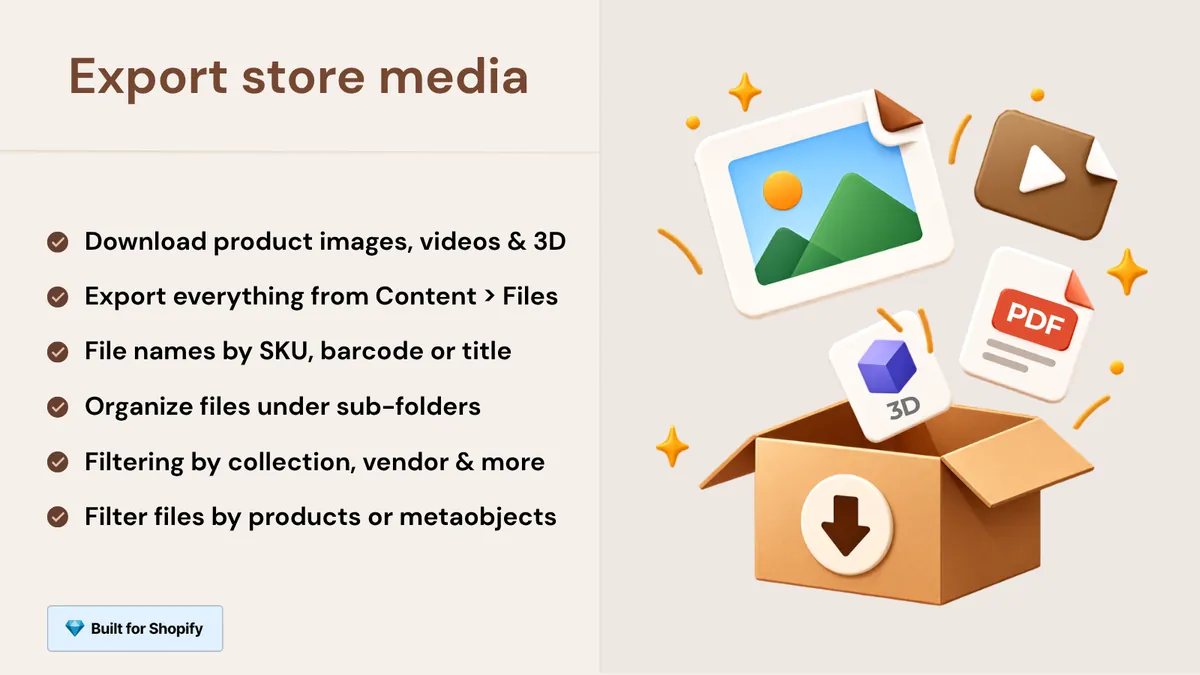
You choose exactly what to export: filter products by status, vendor, collection or creation date, export only main product images and preview every file before you start. Pick the folder structure that suits your workflow, keep original file names or rename them, and duplicate names are handled automatically. Exports run in the background, so even catalogs with thousands of products export reliably; you get an email when your file is ready, and the download link stays available for 7 days.
Expert note: Make this the first step of campaign prep, not the last. The same media backup serves marketplace uploads, wholesale catalogs, print materials and sharing assets with your agency or designer. And if a migration is on the horizon, it solves the most time-consuming part up front.
CS - Export Product Images is Built for Shopify, offers a free plan and has a 4.7 rating from 31 reviews on the Shopify App Store.
CS - Export Product Images on the Shopify App Store · Craftshift website
2. Discovery and product page: shoppers must see their color immediately
If you sell fashion, accessories, home textiles or anything with color options, your quietest Q4 loss is probably in variants. Shopify is weak by default in two places: collection pages show each product as one card, and each variant can have only one image assigned directly. A shopper who clicked an ad for a "navy sweater" sees a grey sweater on the card and scrolls past.
Stamp Show Variants on Collection
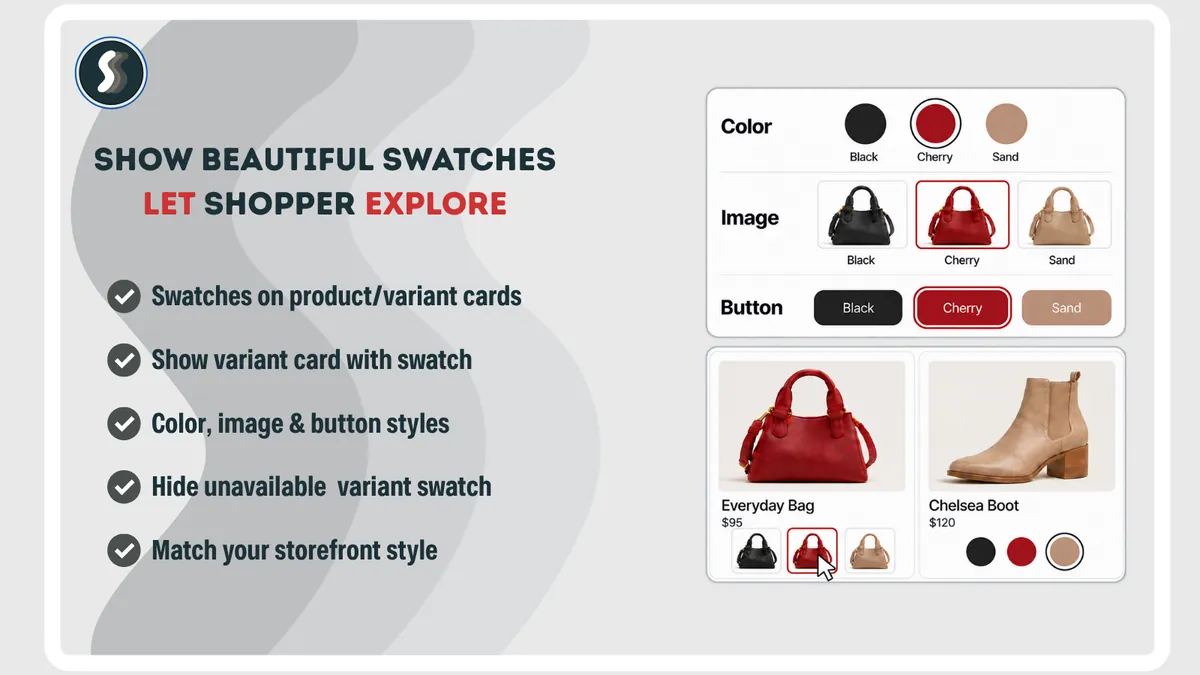
A shirt sold in eight colors appears once on the collection page, usually in a single color, so shoppers have to open each product to find out which colors you actually sell. Many never do. Stamp Show Variants on Collection, built by Sezerium, splits your products into variant cards on collection and search pages: one card per color, size or combination, each with its own image, title and price, in your theme's own card design.

Setup takes minutes and needs no code: turn on the app embed, choose your collections and the grid updates. For finer control you can hide sold-out variants or variants without images, show price ranges, filter variants and set a manual order per collection. Stamp also adds color, image and button swatches to product cards, sorts collections by sales with Smart sort (sold-out items move down, new arrivals move up) and adds Best Sellers, Featured Collection, Related Products and Promo Card sections, plus infinite scroll and add to cart on cards.
Expert note: The "hide sold-out variants" setting is especially valuable in Q4. By day two of Black Friday your most popular colors are gone. Filling the top row of a collection with "sold out" cards means sending your most expensive traffic to your worst shelf. Smart sort handles this automatically.
It works with any Shopify theme without code changes, including pages built with PageFly, GemPages, EComposer and Instant. Stamp is Built for Shopify, offers a free plan to try the features in preview and has a 5.0 rating from 175 reviews on the Shopify App Store.
Stamp Show Variants on Collection on the Shopify App Store · Stamp website
Rubik Variant Images
The shopper lands on the product page and picks "Blue." The gallery still shows black, red and white, and they have to work out which photos belong to their choice. That happens because Shopify allows only one image to be assigned directly to each variant. Rubik Variant Images, built by Craftshift, lets you assign multiple images to each variant, so the gallery updates instantly to show only that variant's photos.
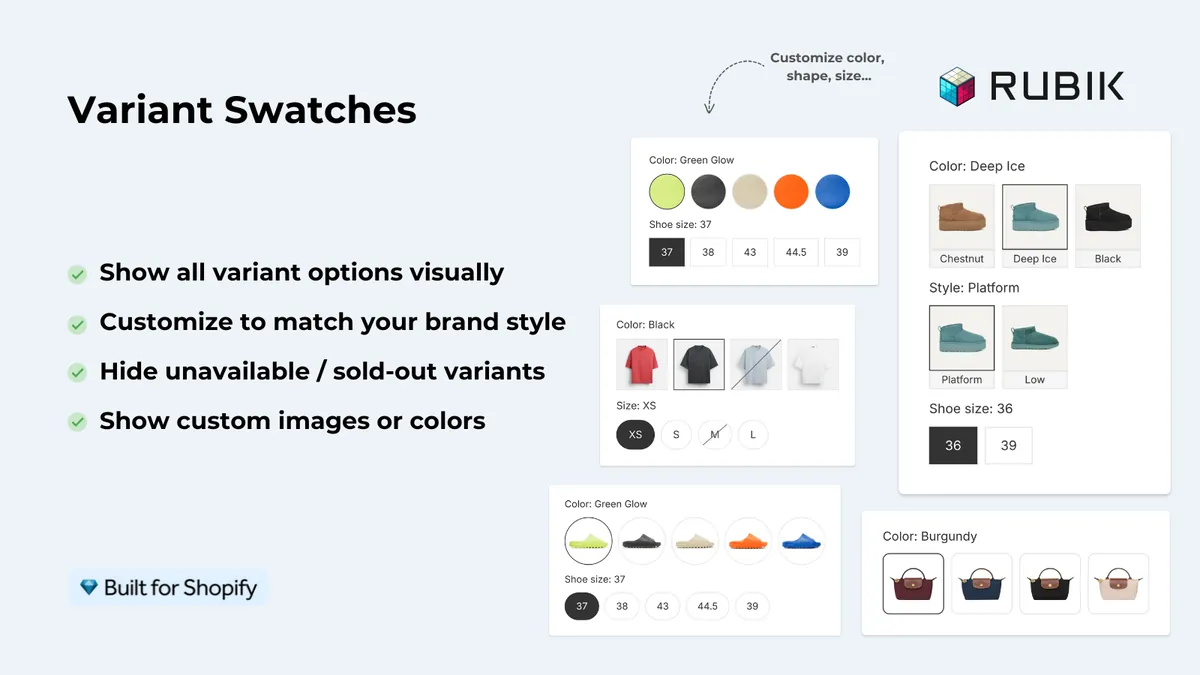
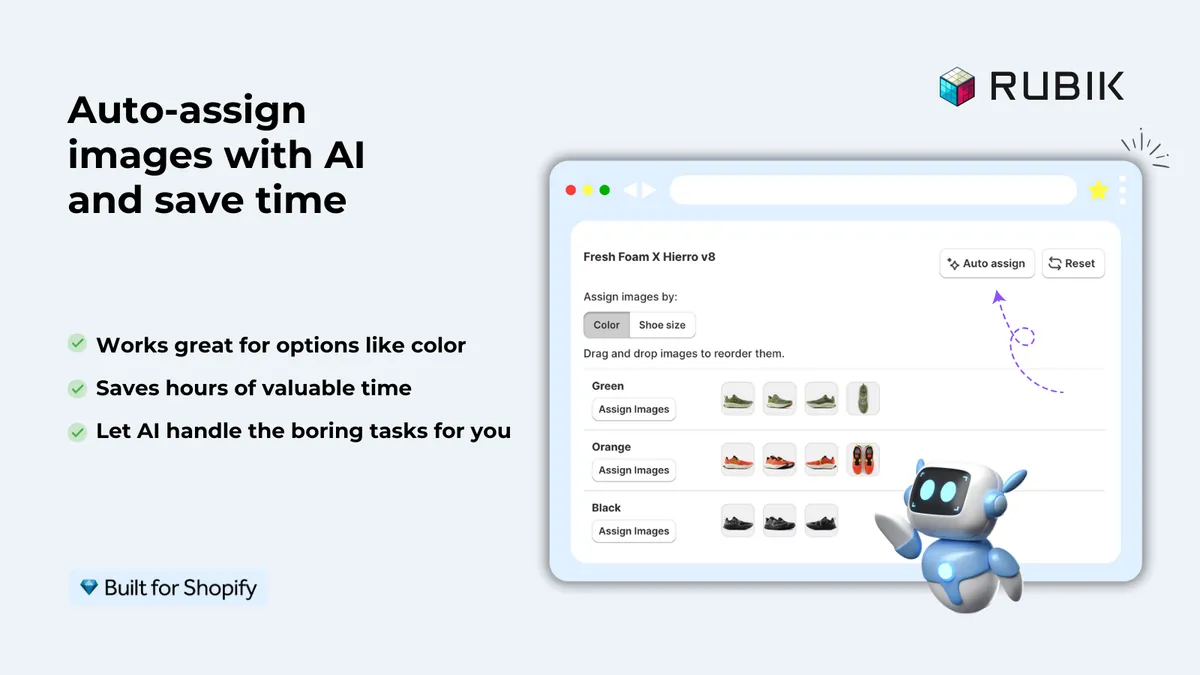
Setup is fast, even for large catalogs. You can assign images manually, use AI to match images to variants product by product, or bulk assign images across your catalog in one go. Rubik also adds color and image swatches to product pages, with the option to show them on product cards across collection pages too. It works with 350+ Shopify themes without code changes.
Expert note: Stamp and Rubik aren't competitors, they complement each other: Stamp fixes the collection grid, Rubik fixes the product page gallery. If you use both, show swatches from one app only. Two sets of swatches on the same card look broken and load unnecessary code.
Rubik Variant Images is Built for Shopify, offers a free plan and has a 5.0 rating from 481 reviews on the Shopify App Store.
Rubik Variant Images on the Shopify App Store · Rubik website
Mini: Custom Fields Personalize
Q4 is also gifting season, and gifts want to be personal: a name engraved on a necklace, a print on a shirt, a note in a gift box, delivery on a specific date. Shopify product pages don't come with a way for customers to enter custom details. That information usually arrives by email, in order notes, or not at all — leading to back-and-forth messages, wrong orders and customers who give up before they buy.
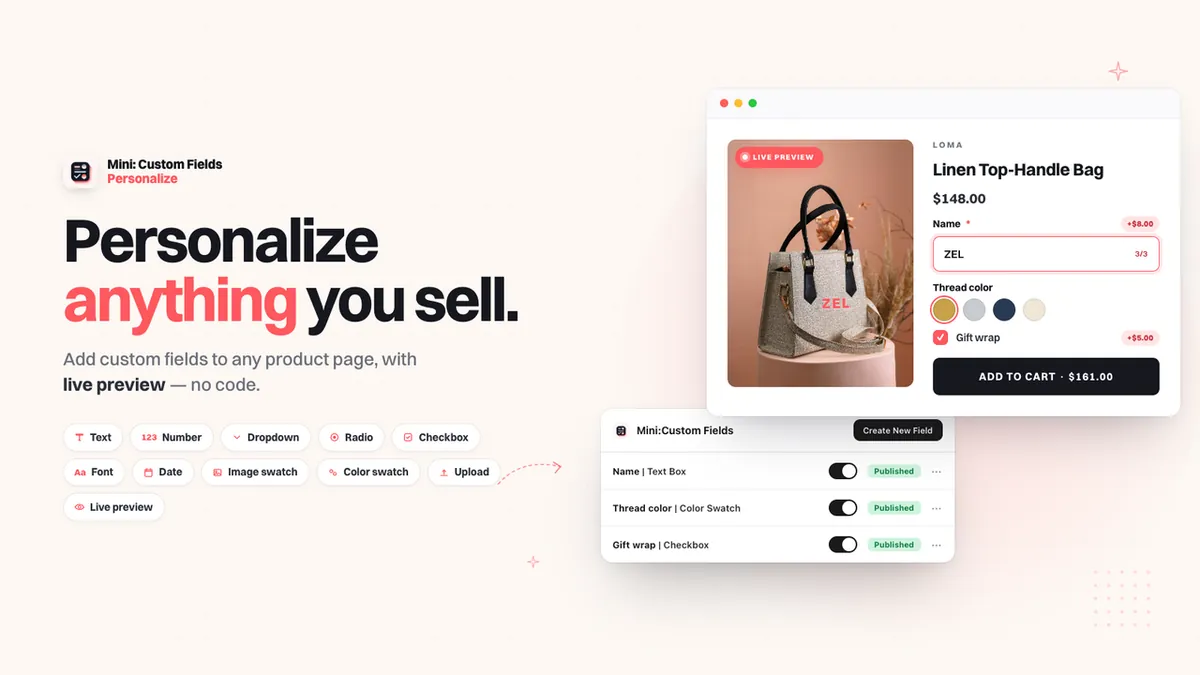
Mini: Custom Fields Personalize adds the inputs you need directly to the product page: text boxes, dropdowns, radio buttons, checkboxes, date pickers, number inputs, file uploads, image and color swatches and font selectors. With conditional logic, fields appear only when they make sense — based on an earlier answer or only for certain variants. You can charge extra for options like gift wrapping or rush delivery; the add-on fee goes into the cart as its own line item, clear for you and the customer. Every answer is saved with the order, and fields can be translated for stores that sell in more than one language.
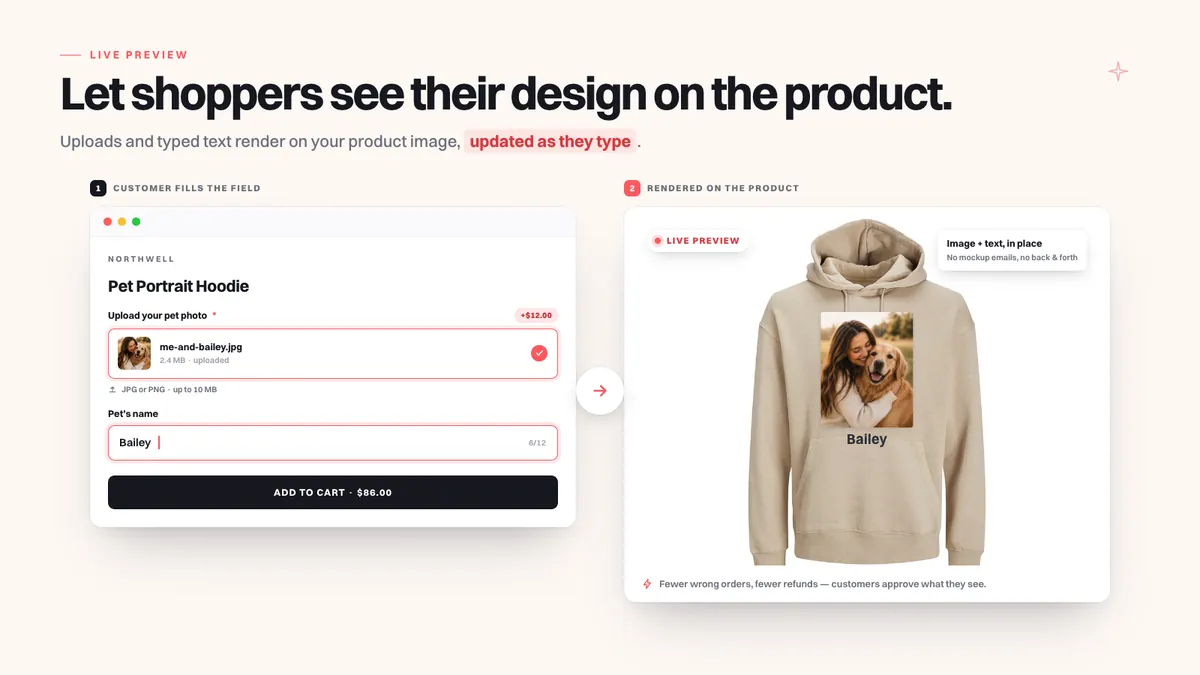
Expert note: In the holiday rush, think about the date picker together with your shipping cutoff. If you offer "delivered before December 24," block dates that can no longer make it and state the cutoff clearly on the product page. A gift-wrapping add-on is also one of the most natural ways to lift average order value in Q4.
Mini: Custom Fields Personalize is Built for Shopify, has a free plan and holds a 5 rating from 142 reviews on the Shopify App Store.
Mini: Custom Fields Personalize on the Shopify App Store · Minimate Apps website
3. Decision and urgency: turning "later" into "now"
The most typical sentence from a Q4 visitor is "I'll look again later." They like the product, but they're comparing prices, waiting for payday or simply unsure. Most never come back. Two things help here: a real reason to decide now, and the confidence that comes from seeing other people buy the same product.
Growth Suite
Growth Suite is a Shopify app for personalized, time-limited offers. It watches how each visitor shops and finds the ones who are still thinking about it. Then it gives them a personal discount code with a countdown timer. The code is just for them and only works for a short time, so they have a real reason to buy today. "I'll buy it later" becomes "I'll buy it now."
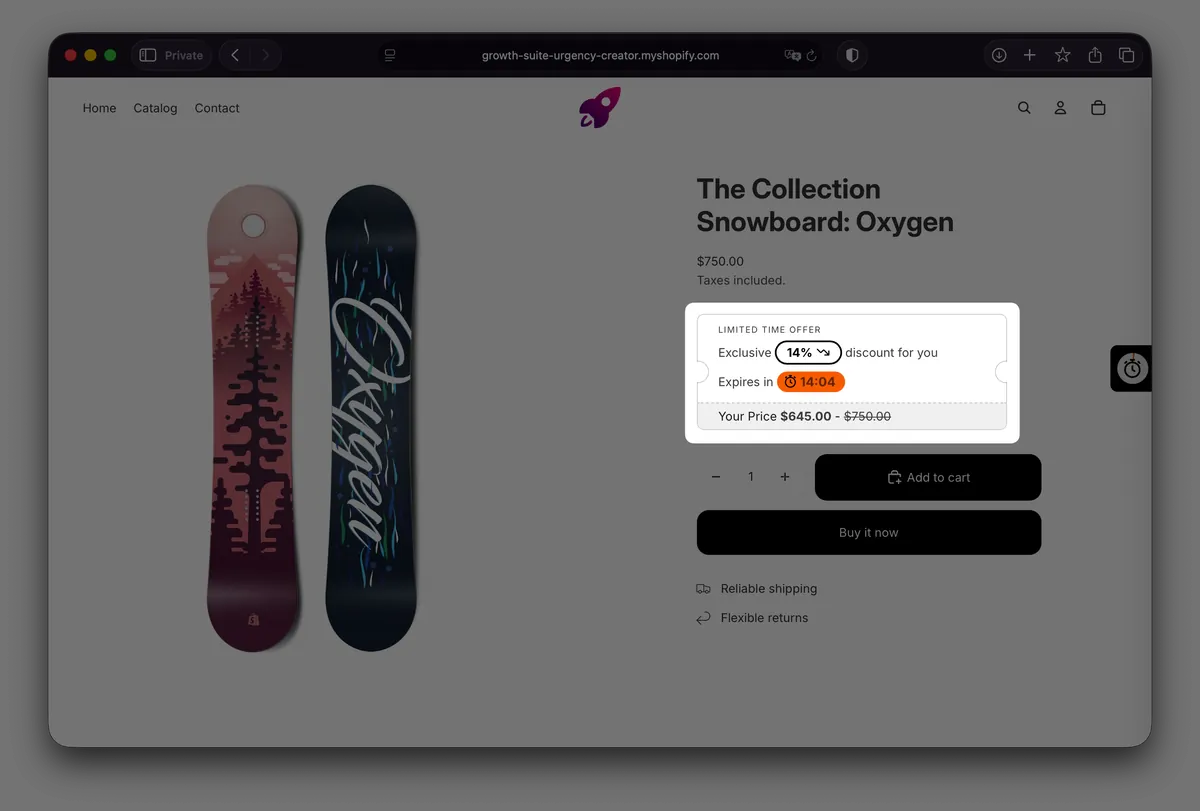
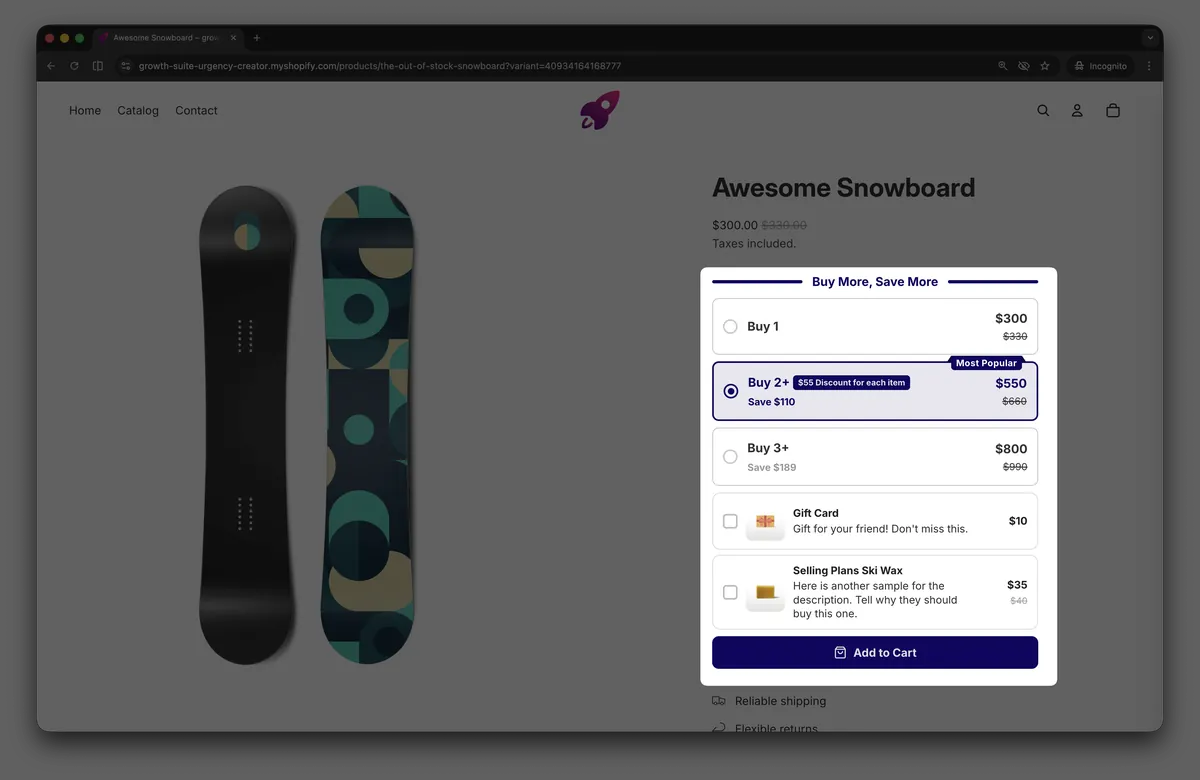
On top of that, bundles, volume discounts, free gifts, add-ons and post-purchase offers all live in the same app. In Q4 that means managing your average-order-value tactics in one place instead of installing three or four separate apps. Growth Suite has the Built for Shopify badge and is used by 300+ stores in 40+ countries.
Expert note: What makes the difference is that the countdown is real. Fake timers that restart on every page load destroy trust and, in markets like Germany and the EU, can count as a misleading commercial practice. A personal code that genuinely expires is honest urgency. If you are already running a public Black Friday discount, plan in advance how Growth Suite offers combine with it (see "Combining these apps" below).
Growth Suite on the Shopify App Store · Growth Suite website
SSM Sold Counter Social Proof
Few things persuade a hesitant shopper like seeing that other people buy the same product. SSM Sold Counter Social Proof turns your Shopify orders into social proof shoppers can trust: sold counters like "23 sold today" and "140 sold this month," best-seller badges ranked within each collection, and live activity such as "8 carted in the last hour," "12 in cart now" and live visitor counts.
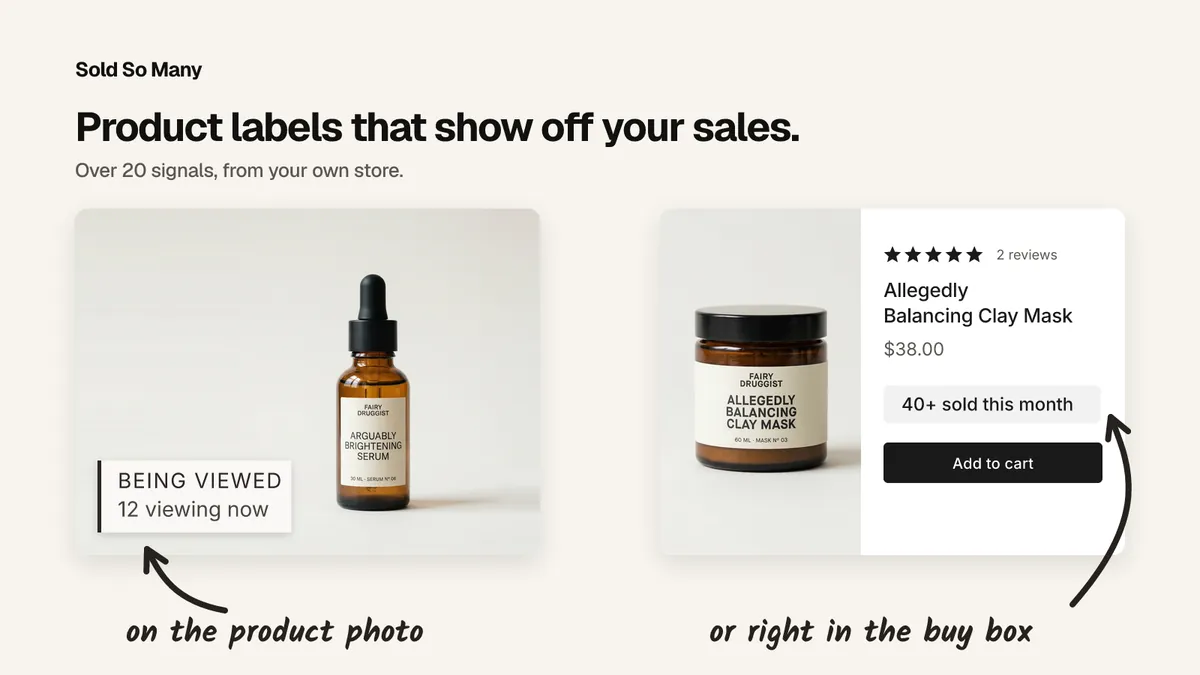
You choose where the proof appears: on product images, in collection grids or as the inline Smart label next to Add to cart. Labels use your store's fonts and style presets, so they look like part of your theme. Every figure is calculated automatically from your real orders and live traffic — no manual counts. A self-learning engine picks the best proof for each product, and shopper-facing text is available in 17 languages.
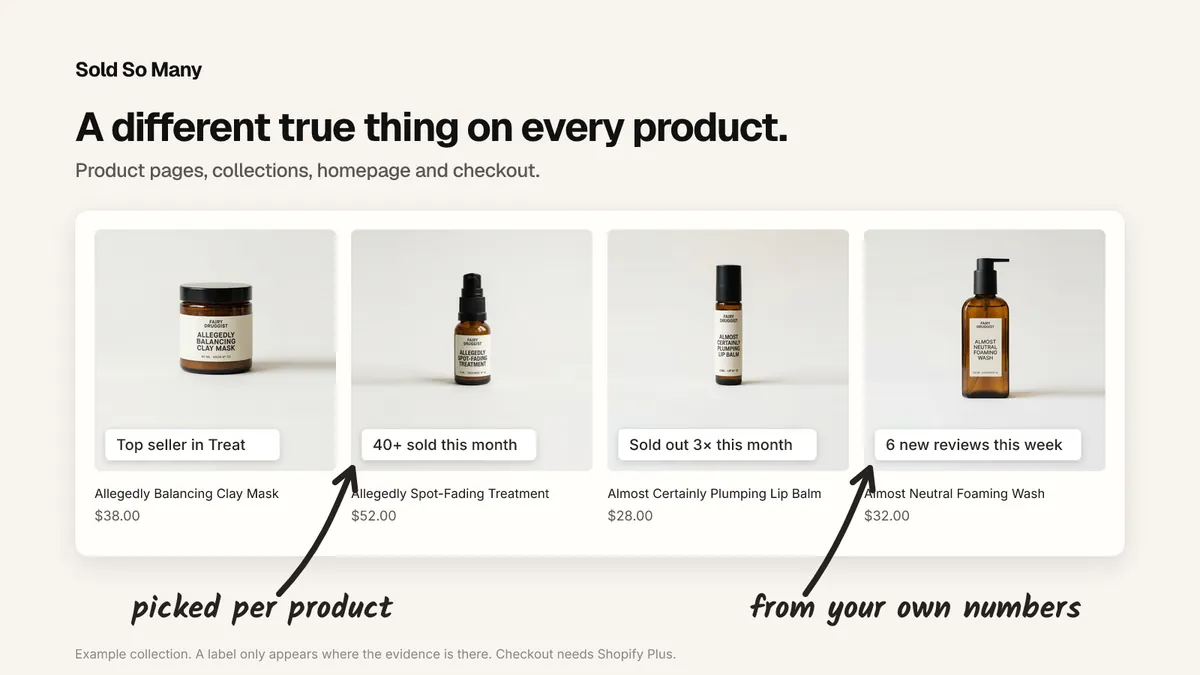
Expert note: Many social proof tools show made-up numbers, and experienced shoppers now notice. SSM's value is that the figures come straight from your orders. For new products with few sales, let the engine choose a different proof rather than showing a weak "1 sold today."
SSM Sold Counter Social Proof has a free plan for up to 10,000 monthly visitors and a 14-day free trial on paid plans.
SSM Sold Counter Social Proof on the Shopify App Store · Booster website
4. Engagement and list growth: let shoppers earn the discount
In Q4 every store offers a discount. In a week when everyone hands out 10%, your 10% doesn't stand out. What makes the difference is how the discount is given: shoppers who earn it are more likely to redeem it and to remember your brand.
PieceUp
Most discount popups hand 10% to anyone who scrolls past. PieceUp asks for thirty seconds instead — and gives the code to someone who has just spent them looking at your product. It turns a plain discount popup into a jigsaw puzzle: the shopper opens it from a button or a timed popup, drags a handful of pieces onto a picture of what you sell and picks a prize. The code is minted the moment they win: a real, single-use Shopify discount that appears under Discounts like any other.
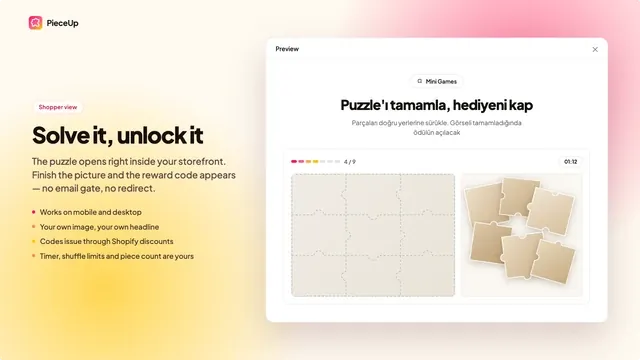
You decide everything about it:
- The puzzle: any image, 2×2 up to 4×4 pieces, three difficulty levels and an optional countdown.
- The prizes: a percentage off, an amount off, free shipping, or a "try again" that costs you nothing — limited to certain products if you like, or hidden behind surprise boxes.
- When and how often: from a button, after a delay, or both; on every page, product pages or the cart; once ever, once a day or unlimited.
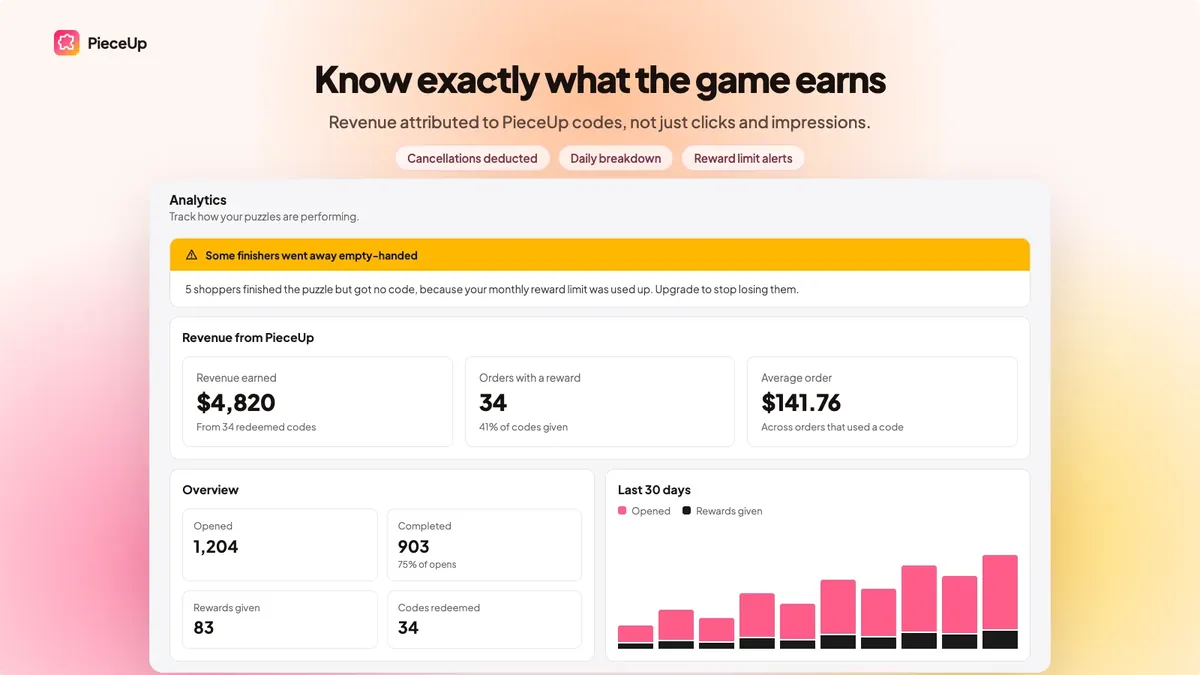
Opens, completions and rewards are counted per puzzle, and orders placed with a PieceUp code are matched back to the puzzle that issued it, so you are looking at revenue, not clicks. On Premium, run two puzzles against each other and keep the winner.
Expert note: In Q4, use your campaign's hero product as the puzzle image — shoppers then spend thirty seconds looking at exactly the product you want to sell. Keeping the share of "try again" prizes low makes the game feel real and protects your margin. Because codes are single-use, they don't leak onto coupon sites either.
PieceUp on the Shopify App Store · PieceUp website
Giveaway Ninja
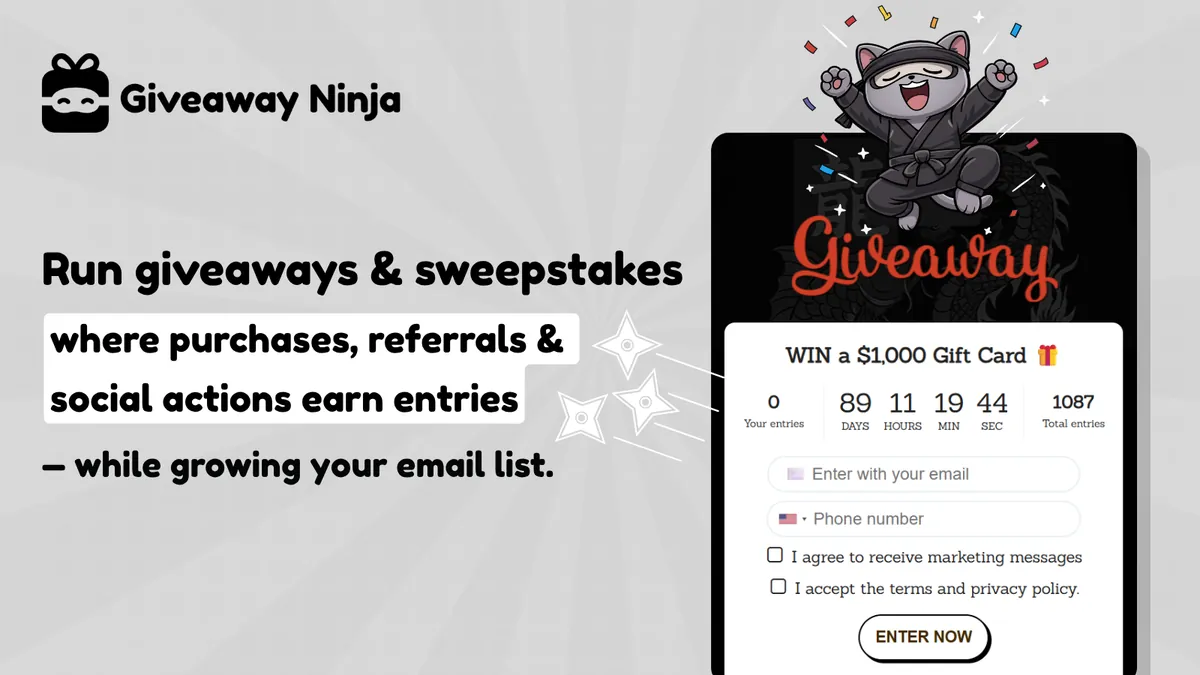
Classic giveaways collect emails but don't drive sales. Giveaway Ninja turns giveaways into a sales and list-building engine for your Shopify store: every order, referral and social action can earn entries, so your campaign drives revenue and doesn't just collect emails.
How merchants use it in Q4:
- Product launches: award bonus entries on the new product or variant and use a date-range multiplier to reward early buyers.
- Flash sales and drops: boost entries for a set window so shoppers have a reason to buy now.
- Raising order value: stack bonus rules for bundles and spend thresholds so bigger carts earn more chances to win.
- Growing your list: refer-a-friend, social actions and photo submissions bring in new subscribers and give shoppers a way to enter without buying.
- Holiday and seasonal campaigns: run a sweepstakes across the season with an extra boost in the final hours.
Host your giveaway on a branded landing page, a pop-up or an embed inside your store. When it ends, pick winners at random with the built-in live draw.
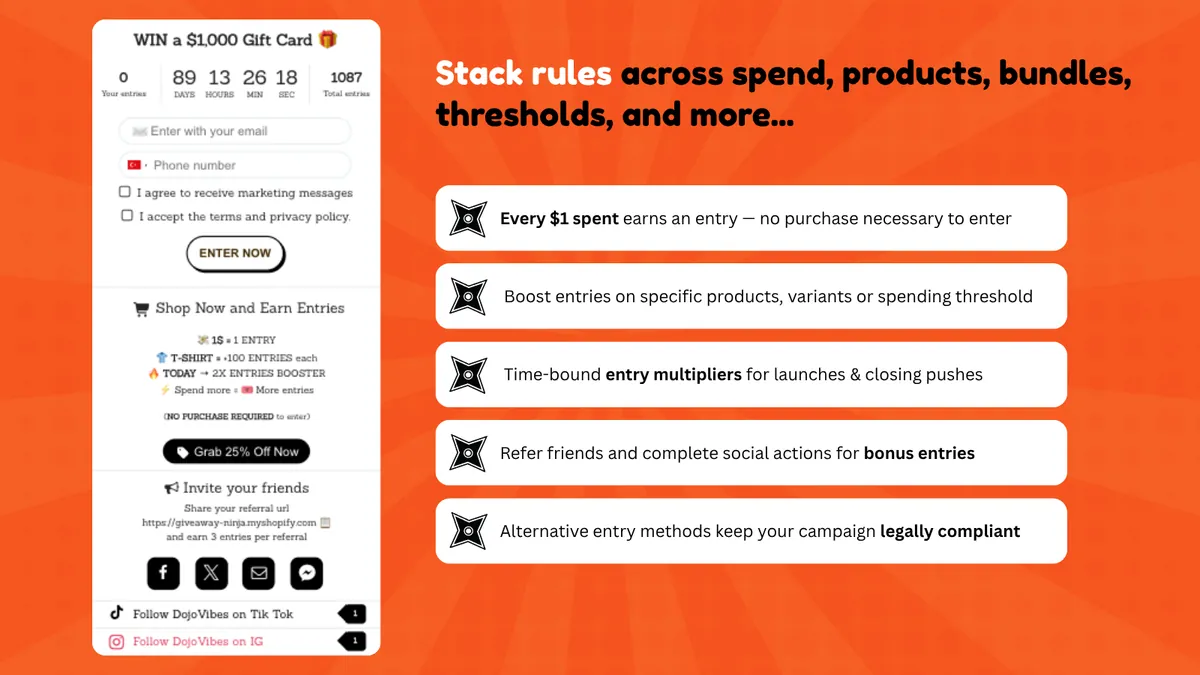
Expert note: Giveaways are the most legally sensitive Q4 tool, and rules differ by country. Germany requires clear, complete terms of participation; in Turkey, prize draws need permission from the national lottery authority; in the US, a free way to enter matters for sweepstakes. Giveaway Ninja supports entering without buying. Have your terms checked by a lawyer before launch, especially if you sell into several countries.
Giveaway Ninja on the Shopify App Store · Giveaway Ninja website
5. After the season: keep your Q4 customers past January
The hidden cost of Q4: many of the customers you won through expensive ads stay one-time buyers. To reach them again in January, you pay for ads again. Every customer you move into a channel you own — email list, SMS, your own app — brings the ad cost of their next purchase down to zero.
Shopney
Shopney is an AI-native mobile app builder for Shopify and Shopify Plus. It turns your store into fully branded native iOS and Android apps without coding. Instead of leaving mobile traffic to your mobile site and repeatedly paying to bring customers back through ads, you build a direct, long-term relationship with them.
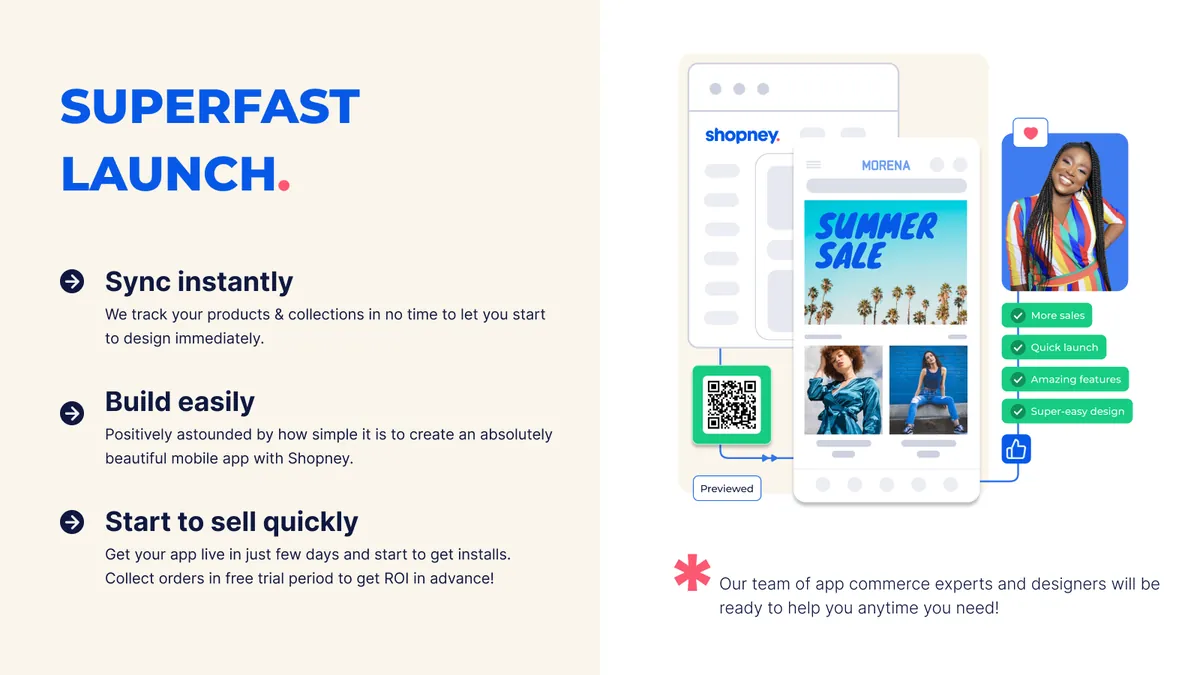
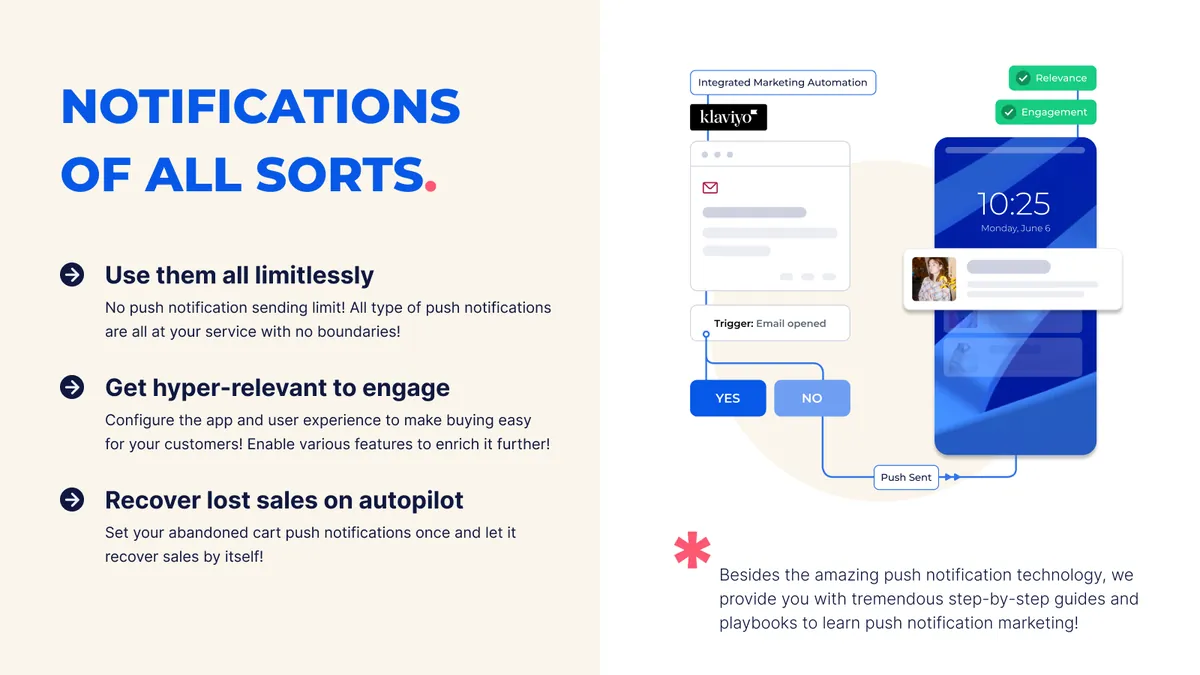
With a no-code platform and an AI-powered app builder, an app can go live in as little as five days, with dedicated support from app creation and store submission to launch and ongoing growth. Shopney goes well beyond app creation: unlimited free push notifications, abandoned-cart recovery, in-app campaigns, app-exclusive offers, advanced personalization, loyalty and subscription integrations and AI-powered marketing tools. It is trusted by 3,000+ Shopify brands worldwide and takes zero commission on sales.
Expert note: A mobile app is built in Q4 and pays off in January, so watch the calendar. Apple and Google store reviews can take longer during peak season; if you want to meet Black Friday with an app, submit in October. An app-exclusive offer for customers who placed their first order in Q4 is the clearest way to turn seasonal buyers into repeat customers.
Shopney on the Shopify App Store · Shopney website
Combining these apps: what to watch out for
Each app on this list does a good job on its own. Problems usually appear when all of them go live in the same store in the same week. These are the four traps we see most often in Q4 projects:
1. Stacking discounts
A personal Growth Suite code, an earned PieceUp code, your general Black Friday discount and a bundle discount can all end up in the same cart. Shopify splits discounts into product, order and shipping classes, and for each discount you decide which others it can combine with. Before launch, place a test order for the worst case: what does a customer pay if they stack the most discounts? If that's below your margin, restrict the combinations.
2. Popup fatigue
If a puzzle, a giveaway, a personal offer and a newsletter popup all hit the same visitor in the first thirty seconds, all four lose. Plan together when and where each tool appears — for example PieceUp only on product pages after a delay, Growth Suite only for visitors showing exit intent, the giveaway in the cart and on the thank-you page.
3. Store speed
Every app adds code, and Q4 traffic punishes slow stores the hardest. Measure the home page, a collection and a product page before and after each install, and switch off app embeds you don't use. Our Shopify store speed guide goes deeper.
4. Overlapping features
Rubik and Stamp can both show swatches; Growth Suite's bundle and gift features can overlap with another bundle app. Never let two apps do the same job. Decide up front which feature comes from which app and switch it off in the other.
Q4 app calendar: when to install what
| When | Task | Apps |
|---|---|---|
| Early October | Media backup, seasonal image upload, mobile app submission | CS - Export Product Images, CS - Smart Image Upload, Shopney |
| Mid October | Variant visibility, product page, personalization fields | Stamp, Rubik, Mini: Custom Fields |
| Late October | Set up conversion tools, test discount combinations, measure speed | Growth Suite, SSM Sold Counter, PieceUp |
| Early November | Launch giveaway and list growth campaign, code freeze | Giveaway Ninja |
| Black Friday – Cyber Monday | Install nothing new; monitor and adjust only | — |
| December | Gifting season: shipping cutoffs, gift wrapping, last-minute campaigns | Mini: Custom Fields, Giveaway Ninja |
| January | Win back seasonal customers, push campaigns, review results | Shopney, PieceUp reports |
The rule is simple: no new apps during Black Friday week. Every change after the first week of November is a test on live traffic without a safety net.
Frequently asked questions
When should I install Shopify apps for Q4?
Ideally in October. That gives you a few weeks to test each app with real traffic, check discount combinations and speed impact, and freeze code before Black Friday. For tools that need a store review, like a mobile app, early October is the latest sensible date.
Do I need all 10 apps?
No. First find where you are losing shoppers. Without variant products you may not need Stamp and Rubik; without personalization you don't need custom fields. Check your analytics to see whether the step from collection to product page, add to cart or checkout is weakest, and start with the app that fixes that step.
Will too many apps slow down my store?
Yes, if they're installed without control. Measure the code each app adds, turn off unused features and app embeds, and never run two apps that do the same job. That's why speed measurements before and after installation belong in the calendar.
Are countdown timers allowed on Black Friday?
A timer showing a real deadline is fine. Fake timers that restart on every visit or page load are misleading, carry legal risk in markets like the EU and cost trust. Solutions like Growth Suite, where a personal code genuinely expires, are the safer choice.
Let's get your store ready for Q4 together
Choosing the right app is half the work; the other half is setting it up to fit your store, theme and campaign calendar. At 34Devs we prepare Shopify stores for Black Friday and the holiday season and plan app setup, theme integration, speed and discount logic together with you. For a general app list, see Shopify apps you actually need in 2026.
To talk about your store's Q4 preparation, get in touch or explore our Shopify services.

